SaaS vs Traditional Software: What's the Real Difference?
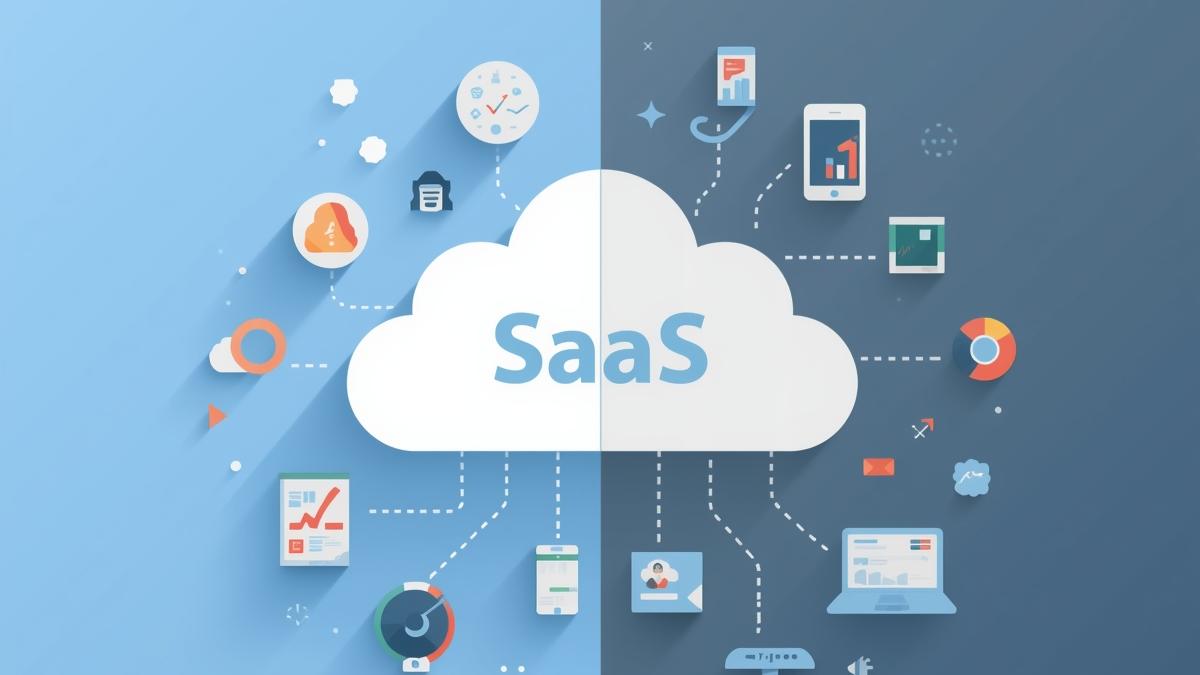
SaaS and traditional software have key differences. Learn about deployment, costs, security, and which model works best for your business needs.
SaaS vs Traditional Software: What's the Real Difference?
If you've been in the tech space long enough, you've probably heard the constant buzz around SaaS. Everyone talks about how it's replacing traditional software, how it's more flexible, more scalable, and better for business. But is it really that simple? Let's dig into what's actually different between these two models and help you figure out which one actually makes sense for your business.
The Basics: What Are We Actually Talking About?
Before we get into the weeds, let's make sure we're on the same page about what these models actually are.
SaaS (Software as a Service) is pretty straightforward. You've probably used it without even thinking about it. It's cloud-based software that lives on someone else's servers. You don't download anything or install anything. You just log in through your browser—any browser, from anywhere—and start working. Think Google Workspace, Slack, Salesforce, or Dropbox. You pay a subscription fee (usually monthly or yearly), and boom, you have access to the software.
Traditional software is what you probably grew up with. You buy a license, install it on your computer or server, and it's yours to keep. Your data lives on your machine. You manage updates, you manage patches, you manage everything. Microsoft Office before it became Office 365, or Adobe Creative Suite before it became Creative Cloud—those were traditional software.
Where They Really Differ
Getting Up and Running
Here's where you start to feel the difference immediately. With SaaS, setup is fast. Like, really fast. You sign up, create an account, maybe download a mobile app if you want, and you're in. No installation process, no waiting for IT to set things up, no wondering if your hardware is compatible. It works in your browser on basically any device. That's huge if you've got a distributed team or people working from different places.
SaaS also grows with you without the headache. Need to add 50 new users? You just upgrade your plan or add licenses. No complicated scaling of servers or infrastructure. It just works.
Traditional software, on the other hand, needs to be installed on each device or on a central server. That takes time. It takes technical people. It's more complex. But if you've got a really fast internet connection or you don't have one at all, traditional software might actually give you better performance since everything runs locally. And if you're in a secure environment where internet connectivity is limited or restricted, that matters.
The Money Side of Things
This is probably the part that affects your decision the most.
With SaaS, you're paying smaller amounts on a regular schedule. Monthly subscription. Annual subscription. It's predictable, and it doesn't blow a hole in your budget all at once. The downside? That money adds up. If you're using SaaS for five years, you might end up spending more total than if you'd just bought traditional software outright. Plus, if the company decides to raise prices (and they often do), you're stuck paying more or leaving.
Traditional software asks for a big upfront payment. Yes, it's painful. But once you've paid for that license, you own it. You can use it as long as you want without paying another dime for the software itself. The catch? You've got maintenance costs. Updates, patches, security fixes—someone needs to handle those. That someone usually has a salary. Implementation also costs money. Getting it set up, customizing it to your needs, training your team—that all costs time and expertise.
Who Keeps Things Running?
This matters more than people realize. With SaaS, the provider handles everything. They push out updates, they fix bugs, they apply security patches. You always have the latest version without lifting a finger. That's genuinely convenient, especially if you don't have a big IT team.
With traditional software, that's on you. Your team needs to handle updates. If something breaks, you need to fix it or call support. You need people who understand the system. That's why companies with bigger IT departments have traditionally stuck with traditional software—they've already got the expertise and staffing.
Making It Yours
SaaS solutions let you customize things, but within limits. You can usually change colors, adjust user permissions, set up workflows the way you want them, that kind of thing. But since the same software serves thousands of customers, you're limited to what the platform allows. You can't go too far off the beaten path.
Traditional software gives you more freedom here. If you really need to customize something, you can. You can get into the code, you can integrate it with other systems in whatever way makes sense. The tradeoff is that customization requires expertise and costs money. A lot of money if you're doing serious custom work.
Keeping Data Safe
This is where a lot of people get nervous about SaaS, and understandably so. Your data lives on the provider's servers. You're trusting them to keep it safe. The good news is that most reputable SaaS providers take security seriously. They encrypt data, they have secure data centers, they run regular security audits, and they comply with big regulations like GDPR and HIPAA. But you're still trusting them, and sometimes that's hard.
Traditional software lets you keep everything in-house. You control the servers. You control the security. You control access. If compliance is critical for your business, this might be the way to go. But remember—you're now responsible for all that security. That means encryption, firewalls, regular audits, compliance training, the whole package. And if you mess it up, that's on you.
So Which One Should You Pick?
Honestly, there's no universal answer. It depends on what your business actually needs.
Go with SaaS if you want to get started quickly, you don't want to manage infrastructure, your team is distributed, and you're comfortable trusting a third party with your data. SaaS is great if you value flexibility and want to avoid hiring an IT person just to manage software.
Go with traditional software if you need serious customization, you want full control over your data and security, you've got the IT expertise in-house, or you plan to use the software long-term and want to avoid ongoing subscription costs.
Here's the thing though—most companies end up using both. You might use SaaS for a lot of things like email and collaboration, while running traditional software for something mission-critical that needs total control. It's not either-or anymore. It's about picking the right tool for each job.
The Bottom Line
The software landscape has definitely changed. SaaS is winning market share for good reasons—it's convenient, it's accessible, it's easy to get started with. But traditional software isn't going anywhere. It serves real purposes that SaaS can't fill, especially for businesses with specific security needs or serious customization requirements.
The best choice for you depends on your specific situation. What matters is understanding what you're actually getting with each model so you can make a decision that actually works for your business, not just follow the hype.
About the writer

Founder & Writer · EveryTuesdays
You May Also Like
Browse All
No-Code + AI: How Indie Hackers Are Building Apps With Bubble, Lovable & GPT in 2026
AI has supercharged no-code. Discover how indie hackers are combining Bubble, Lovable, and GPT-4 to build smarter apps faster and the tools making it possible in 2026.
How to Monetize a No-Code App: Pricing, Payments & Getting to $1K MRR
Built your no-code app now make it profitable. The complete monetization guide for indie hackers: pricing models, Stripe setup, conversion tactics, and reaching $1K MRR.
How to Validate a No-Code App Idea Before Building Anything (The 2-Week Method)
Stop building apps nobody wants. This 2-week validation method helps indie hackers confirm real demand, find paying customers, and avoid the #1 no-code startup mistake.